The Ultimate Setup Guide for Your Hohem Isteady V3 Ultra
Category: Mobile Phones
Introduction
The Hohem iSteady V3 Ultra is a compact smartphone gimbal designed for creators who want steady, cinematic footage without a steep learning curve. Whether the goal is daily vlogs, travel clips, live streaming, or stabilizing footage for social platforms, a modern gimbal promises smoother motion and more professional-looking results than handheld shooting alone. This guide walks through the practical setup, real-world use cases, technical analysis, and a focused buying guide so prospective buyers can decide whether the iSteady V3 Ultra meets their needs and how to get the most from it.
Who should consider the iSteady V3 Ultra?
The iSteady V3 Ultra is aimed at smartphone shooters: hobbyist videographers, travel vloggers, social media creators, and anyone who wants to upgrade the quality of handheld footage. Buyers typically care about ease of use, portability, battery life, compatibility with larger phones and accessories (microphones, lenses), mode flexibility (timelapse, object tracking), and reliable app support. Those who need industrial-grade stabilization for heavy mirrorless cameras should consider larger motorized gimbals; this model is tuned for smartphones and lightweight setups.
Unboxing and first impressions
Out of the box, users should expect the gimbal, a USB charging cable (commonly USB-C), a small tripod or mounting base, a quick-start guide, and possibly a safety lanyard or carry pouch. The first impressions most buyers notice are weight, grip comfort, and build quality. The iSteady V3 Ultra typically feels lighter and more compact than full-size stabilizers, which is a plus for long shooting days but also means some tradeoffs in raw motor torque compared with larger units.
Step-by-step setup and calibration
1. Charge before first use
Charge the gimbal fully before initial operation. The battery should be topped up to ensure firmware updates and app pairing complete without interruption. Use the supplied cable and a reliable USB charger.
2. Mount the smartphone
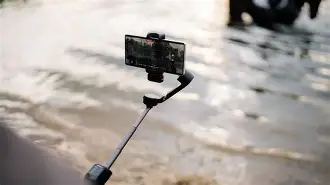
Open the clamp and place the phone so that the center of gravity is as close to the gimbal’s center as possible. If the phone has large camera bumps, cases, or attached lenses, remove bulky cases or use a slim mount adapter to avoid imbalance.
3. Balance the phone
Balancing is the single most important step for silent motors and optimal battery life. Adjust the phone left-right and forward-back until the phone stays level when the gimbal is powered off. Some users prefer to perform a coarse balance (centered horizontally) and let the gimbal fine-tune balance via auto-calibration.
4. Power on, pair, and update firmware
Turn on the gimbal and pair it with the Hohem app (or the companion app specified in the manual). The app often checks for firmware updates; install any updates before doing advanced calibration. Firmware updates can improve tracking accuracy and add modes.
5. Calibrate and test modes
Run sensor calibration through the app if prompted. Test primary shooting modes — follow/pan, lock, POV/FPV, timelapse, and sports mode — to become familiar with their behavior. Try object tracking and face tracking on a few test subjects to learn how quickly the gimbal reacquires a subject after occlusion.
Detailed product review and analysis
The iSteady V3 Ultra positions itself as a bridge between basic smartphone stabilizers and pro-level gimbals. The review below analyzes its core categories: build and ergonomics, stabilization performance, software experience, battery life and charging, accessory support, and value for common use cases.
Looking for the best Mobile Phones deals on Amazon?
Shop Amazon →Build and ergonomics
Hohem typically emphasizes ergonomic grips and compact folding mechanisms. The iSteady V3 Ultra's handle is designed to sit comfortably in the hand for extended sessions; textured surfaces and a balanced weight distribution help reduce fatigue. Folding and unfolding should be straightforward for street and travel photographers who need to deploy quickly from a backpack.
Stabilization and motor performance
Stabilization quality is the gimbal’s core competency. The motors on a smartphone gimbal must counteract hand tremor, walking sway, and sudden panning movements. In normal walking and light jogging scenarios, users can expect noticeably smoother footage than handheld. For high-speed activities (biking, trail running), the gimbal may encounter its limits; those scenarios benefit from more rugged, larger gimbals or action cameras with built-in stabilization.
App and software features
The companion app controls tracking, timelapse paths, panorama stitches, and advanced settings like follow speeds and motor strength. Buyers value responsive, reliable apps: bugs or frequent disconnections can be a major frustration. The iSteady V3 Ultra's app typically offers a suite of creative modes that help achieve cinematic moves without complex rigging: dolly zoom, inception, time-lapse, and automated motion paths. Users should test object tracking in realistic scenes to ensure it locks onto subjects without jitter.
Battery life and charging
Battery life in real-world use depends on load (phone weight, motor torque), temperature, and active features like continuous Bluetooth streaming. For most day-to-day shooting, a gimbal that reliably lasts a full shoot or travel day without recharging is ideal. Fast charging via USB-C is convenient and enables topping up between takes; portable power banks can also extend field time if the gimbal supports pass-through charging.
Accessory compatibility
Practical accessories include small tripods, extension poles, external microphones, and LED lights. The Ultra model is expected to support basic accessory mounting points. Buyers who plan to attach microphones or lights should confirm the mounting threads and whether the gimbal will remain balanced with the extra weight. A dedicated cold shoe or 1/4"-20 mount helps keep accessories secure and centered.
Real-world performance
In travel and urban vlogging use, the gimbal’s compact size and intuitive modes make it easy to capture professional-looking pans and tracking shots. Live streamers will appreciate steady framing during walking streams and the ability to switch between portrait and landscape quickly for different platforms. For event shoots (small weddings, corporate videos), the gimbal is useful for short walk-and-talks, but operators should test prolonged pans as battery life and motor heat can affect performance over hours.
Pros & Cons
- Pros:
- Compact and travel-friendly design that folds for easy transport
- Multiple shooting modes (timelapse, tracking, POV) that expand creative possibilities
- Intuitive one-handed operation suitable for vloggers and solo creators
- Good stabilization for walking and handheld shots
- App-driven features for automated motion and creative shots
- Cons:
- Limited payload compared to larger gimbals—best suited for smartphones only
- Performance can degrade under high-speed motion or with heavy accessory loads
- Occasional app connectivity or firmware quirks reported by some users
- Without careful balancing, motors can be louder and battery life reduced
Comparison: iSteady V3 Ultra vs. Popular Alternatives
The table below compares the iSteady V3 Ultra against two typical competitors in the smartphone gimbal class: a well-known flagship smartphone gimbal and a mid-range competitor. The focus is on practical differences buyers care about rather than raw specs.
| Feature | Hohem iSteady V3 Ultra | Flagship Competitor (e.g., high-end model) | Mid-range Competitor |
|---|---|---|---|
| Target user | Travel vloggers, social creators, casual filmmakers | Professional mobile creators, multi-gear setups | Casual users upgrading from handheld |
| Portability | High — compact folding design | Moderate — solid but slightly larger | High — usually lightweight but with fewer features |
| App features | Rich — tracking, timelapse, motion paths | Very rich — advanced controls, cinematic presets | Basic — follow and lock modes |
| Motor strength | Good for phones and light accessories | Stronger — handles phones with heavy lenses/rigs | Adequate for standard phones |
| Battery/endurance | Suitable for day shoots with recharging option | Longer endurance and faster charging options | Shorter than flagship, depends on usage |
| Price positioning | Value-focused | Premium | Budget-friendly |
Buying Guide: What to Consider Before Purchasing
The right gimbal depends on the buyer’s primary use cases. Below are practical criteria and questions to guide the decision.
1. Primary use case
If the main need is travel vlogging or social videos, portability and quick deploy time are critical. For live streaming, reliable Bluetooth connectivity and easy mode switching matter. For professional event coverage, motor strength and accessory support are key.
Find top-rated Mobile Phones products at great prices.
Browse Now →2. Phone compatibility and payload
Check whether the gimbal can accommodate the size and weight of the phone plus any lenses, cases, or external microphones. A phone with a thick protective case or lens attachments may need balancing adjustments or a slimmer case.
3. Battery life and charging flexibility
Consider how long typical shoots last and whether the gimbal supports pass-through charging. If on-location power is limited, confirm whether a power bank can charge the gimbal while in use.
4. App reliability and features
Look for stable apps with regular firmware updates. Useful app features include object/facial tracking, timelapse and motion-lapse, cinematic movement presets, and easy export options.
5. Build quality and ergonomics
A comfortable grip, solid folding mechanism, and durable materials make a difference during long days of shooting. Test whether buttons and joysticks feel responsive and are conveniently placed for one-handed operation.
6. Accessory ecosystem
Does the gimbal support tripods, microphones, LED lights, or extension poles? Confirm mounting standards (1/4"-20, cold shoe) if accessories are planned.
7. Support, warranty, and community
Good customer support, warranty coverage, and an active user community help when troubleshooting or looking for advanced technique tips. Firmware updates indicate ongoing product support and improvement.
Practical tips and tricks for better footage
- Balance carefully: A well-balanced phone reduces motor strain and noise, extends battery life, and produces smoother footage.
- Use portrait mode correctly: Switch between portrait and landscape depending on the platform before powering the gimbal on; some mounting positions require rebalancing.
- Lock the gimbal during transport: Use a travel lock or neutral position to prevent accidental motor strain and to protect the motors.
- Combine with a small tripod: For interviews and static timelapses, a compact tripod adds versatility without much extra bulk.
- Practice common moves: Simple 3-second pans and slow forward pushes generally look more cinematic than quick pans or jerky movements.
- Mind accessories: Attach mics and lights close to the center line to maintain balance; heavier accessories may need counterweights or adjustment.
- Frame with breathing room: Leave space in the direction of motion to avoid awkward headroom or clipped subjects during pans.
Troubleshooting common setup issues
Many first-time gimbal users encounter predictable problems that are simple to fix:
- Phone drifts or motor chirps: Rebalance the phone and update firmware. Avoid over-torquing the motors by removing heavy cases or attachments.
- App disconnects: Re-pair Bluetooth, ensure the phone has background app permissions, and close other Bluetooth devices that might interfere.
- Tracking fails or jitters: Improve lighting, increase contrast between subject and background, and calibrate through the app.
- Short battery life: Disable unnecessary features, reduce motor strength if adjustable, and close background apps that use Bluetooth extensively.
Conclusion
The Hohem iSteady V3 Ultra is a compelling option for smartphone creators who need a balance of portability, useful app-driven creative modes, and reliable stabilization for everyday shooting. It excels for travel, vlogging, and social content creation thanks to a compact form factor and accessible features. Buyers should evaluate phone compatibility, intended shooting activities, accessory needs, and app reliability before committing. With careful setup — proper balancing, firmware updates, and familiarization with the app’s modes — the iSteady V3 Ultra can greatly elevate mobile footage and simplify the path to consistently polished videos.