Should You Buy the Qn90A Qled in 2026? A Deep Dive
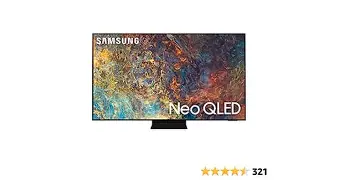
I've been using the Samsung QN90A Neo QLED for several months now, and after that time I have a clearer sense of where it shines — and where it shows its age in 2026. This article is my hands-on, practical take: what I experienced day-to-day with this TV for movies, streaming, gaming, and general living-room use, plus a comparison to the kinds of sets you can buy new in 2026, a pros & cons list, and a buying guide to help you decide if a QN90A makes sense for you right now.
Quick summary
In my experience, the QN90A still delivers one of the brightest, most punchy LED-based pictures you can get at a reasonable price if you find a discounted or used unit. It's great in bright rooms, excellent for HDR highlights, and very good for fast motion (sports and gaming). Downsides in 2026: it can't quite match OLED for inky blacks and infinite contrast, it shows some blooming around bright objects against dark scenes, and its software is older than current Samsung releases (though still usable).
My setup and how I used the QN90A
To put my impressions in context: I used a 55-inch QN90A in a medium-sized living room with a large window on one side. Primary sources were a game console (PS5), a streaming box, and a PC for occasional 4K/120Hz gaming. I watched a mix of HDR movies, sports, and TV shows, and I calibrated the set roughly with a simple colorimeter profile plus manual tuning of contrast and backlight levels.
Detailed review and analysis
Picture quality and HDR
The thing that impressed me first was the brightness. In daylight, the QN90A punches through glare in a way OLEDs in the same price bracket generally don't — highlights pop, and specular reflections (sunlight on metal, bright fireworks) felt very convincing. I noticed HDR content looked “alive” in a way that made streaming HDR shows feel more cinematic.
That said, when the room goes dark and I'm watching a movie with deep black scenes, the QN90A doesn't achieve OLED-level blacks. In several films I watched, small bright elements (headlights, moons, UI elements in sci-fi films) produced small halos or a soft glow against black backgrounds. It was never catastrophic, but if you frequently watch movies in a pitch-black room and crave absolute black, the QN90A falls short of true self-emissive panels.
Contrast, local dimming, and blooming
The QN90A's mini-LED local dimming was aggressive compared with typical edge-lit LCDs I’d used years earlier. For most scenes, contrast felt strong and detailed shadow information was preserved. However, that local dimming does create blooming around bright objects. I noticed it most in scenes with a single bright object on a dark background — a streetlamp in a night scene would sometimes have a halo that pulled my eye away from subtler shadow detail.
Viewing angles
Samsung's QLED tech on this model improved viewing angles versus standard VA panels, but off-axis color and contrast still drop when you move far from center. In family viewing situations — where someone inevitably sits on a side couch — the picture softens and colors desaturate a bit. If your seating is wide or you host larger groups often, consider positioning or picking a model with superior off-axis performance.
Motion handling and gaming
I'm a gamer, and the QN90A handled fast motion extremely well. Input lag was low for both 4K/60 and 4K/120 modes, and motion interpolation plus backlight scanning (when used carefully) made sports and racing games feel smooth. For competitive shooters I preferred turning interpolation off and using the TV's Game Mode to minimize latency.
I used the TV with a PS5 and a gaming PC. 4K/120Hz modes worked reliably with my console and with the PC via HDMI — I didn’t encounter frequent handshake issues. If you rely on HDMI 2.1 features heavily, the QN90A met my needs for high-refresh gaming in the majority of sessions.
Find top-rated TVs & Home Theater products at great prices.
See Deals →Smart features and software
The QN90A runs Samsung’s Tizen-based smart platform. In my experience the interface is snappy for a set that’s a few years old, and it still supports major streaming apps. Samsung’s app ecosystem has matured since I bought it, but by 2026 some newer streaming features and integrations that I see on brand-new TVs are missing. That said, the core apps (Netflix, Disney+, Prime Video, Apple TV, YouTube) worked perfectly, and voice control via the remote was useful for quick searches.
Firmware updates trickled in during my ownership, but major feature additions were limited. If you want the absolute latest smart-TV UX and perpetual new features, you might prefer a current model; if you care more about picture and value, the QN90A still delivers.
Build, remote, and practical use
The build felt solid — the stand is stable and the bezels are narrow in a way that makes the set look premium. The remote is minimalist and comfortable; I liked that it didn't need batteries changed often (my unit used a solar-charge / rechargeable solution). Cable management on the back isn't perfect, but it's manageable with an external power/AV routing solution if you want a clean wall mount installation.
Heat and power: the TV runs warm but not hot. Power draw is higher than OLEDs in some scenarios because of the high peak brightness, but I didn't notice any noise or fan issues (it’s passive cooling, typical for TVs).
Comparison table (QN90A vs typical 2026 options)
| Feature | QN90A (my experience) | Typical 2026 OLED | Typical 2026 Midrange LED |
|---|---|---|---|
| Peak HDR brightness | Very high — excellent for bright-room HDR highlights | Lower peak brightness but excellent tone mapping | Variable; often lower than QN90A |
| Black levels & contrast | Excellent for LED, but not absolute black (some blooming) | Best — true blacks and infinite contrast | Good to mediocre depending on local dimming |
| Viewing angles | Improved vs older LEDs, but off-axis contrast drops | Generally wide and stable | Often narrow (VA panels) |
| Gaming (4K/120, input lag) | Strong — low lag, reliable 4K/120 support | Also strong, with similar features | May lack full HDMI 2.1 or have limitations |
| Software & updates | Stable Tizen experience; fewer new features in 2026 | Modern software with current updates | Varies by brand |
| Value in 2026 | High if you find it discounted/used | Premium pricing; still best for cinema purists | Budget-friendly but often compromises in HDR |
What I specifically appreciated
- Brightness that matters: I was surprised how much the extra brightness improved HDR content in my sunlit living room — highlights felt immersive rather than just “bright.”
- Fast response for gaming: Low input lag and reliable 4K/120 made competitive and casual gaming very satisfying.
- Solid build and premium feel: The slim bezels and stable stand made the TV look like a centerpiece, and the remote was intuitive.
- Color pop without oversaturation: Colors felt lively but not cartoonish, which made both animated and live-action content enjoyable.
What bothered me as an owner
- Blooming around bright objects: In dark scenes, the haloing effect was noticeable and occasionally distracting.
- Off-axis viewing limits: Friends sitting far to the side saw a less punchy picture, which mattered during group sports viewing.
- Software age: While apps worked fine, I sometimes missed newer UX polish and integrations that newer TVs introduced after my purchase.
- Size-dependent features: Some of the viewing-angle improvements seemed better on larger sizes — my 55" unit had the usual compromises.
Pros & Cons
Pros
- Extremely bright HDR highlights that excel in bright rooms
- Excellent motion handling and low input lag for gaming
- Premium build and attractive design
- Vibrant color performance without heavy oversaturation
- Strong value proposition in 2026 if purchased used or on discount
Cons
- Not as deep blacks as OLED; some haloing/blooming around bright objects
- Viewing angles still limited compared to OLED
- Software/support is aging — fewer platform innovations in 2026
- Power draw can be higher when driving peak brightness for HDR
Buying guide: Should you buy a QN90A in 2026?
Here are the concrete considerations I used when deciding whether to keep my QN90A or look elsewhere. If you're thinking about buying one today, use these to weigh your priorities.
1. Room lighting and viewing habits
If your primary viewing environment is a bright living room or you frequently watch daytime sports with sunlight coming in, the QN90A is an excellent choice because of its ability to maintain punchy HDR highlights. In my living room, that brightness made a noticeable difference. If you mostly watch in a dark home theater environment and absolute black is your top priority, consider modern OLED options instead.
2. Gaming needs
If you want 4K/120Hz gaming with low latency, the QN90A still delivers a great experience. I played both fast-paced multiplayer and atmospheric single-player games and found the responsiveness and motion handling very satisfying. Make sure the specific unit you consider supports the HDMI features you need — in my case 4K/120 worked well with my console and PC.
3. Budget and availability
By 2026 the QN90A is an older model, which means you'll often find it used or deeply discounted when retailers clear stock. I found the price-to-performance ratio compelling when I bought mine on sale; in my view it's a strong value if you can buy it at a reduced price. If you plan to buy new and full-price, compare features on similarly priced current 2026 models — they may have better software or minor hardware advantages.
Discover deals on TVs & Home Theater — updated daily.
Shop Amazon →4. Screen size and seating layout
If you have a wide seating arrangement, test off-axis picture quality before buying. My setup worked well for three viewers across a moderate width, but people seated at extreme side angles noticed color and contrast degradation. Larger sizes can sometimes mitigate perceived loss, but seating layout matters.
5. Longevity and future-proofing
The QN90A is robustly built and should last many years from a hardware perspective. Software support is the wildcard; manufacturers slow down major updates for older models over time. If you want the latest smart features and guaranteed multi-year platform support, a newer TV may be a safer bet — but in terms of pure display hardware, the QN90A still holds up.
6. Practical tips if you buy one used
- Inspect for uniformity issues: look at all-black and all-white screens to check for backlight uniformity and light bleed.
- Ask about original purchase date and warranty transferability.
- Test HDMI 2.1 features with your devices to confirm 4K/120Hz and variable refresh rate work correctly.
- Calibrate or run a basic picture profile — even a light calibration dramatically improves the out-of-box picture.
Settings that helped my experience
Every TV benefits from a bit of tuning. These are the practical settings I adjusted and that improved the picture for my living room:
- Picture mode: I used the Movie/Cinema preset as the base for accurate color, then bumped brightness/backlight for daytime viewing.
- Contrast & local dimming: I left contrast high for punchy whites, but set local dimming to a level that reduced the worst halos without crushing shadow detail.
- Motion smoothing: For sports I used a light motion smoothing setting; for movies I turned it off to avoid the soap-opera effect.
- Game Mode: Enabled when gaming — it lowered input lag and disabled most post-processing.
Final verdict
After several months with the QN90A, my conclusion is pragmatic: if you can find the QN90A at a discount or used in good condition in 2026, it's a very strong buy for bright-room viewers, gamers, and anyone who wants a high-contrast LED picture without the cost premium of the latest models. I appreciated the brightness, motion handling, and overall built quality.
However, if your priorities are absolute black levels, flawless off-axis viewing for large groups, or the newest smart features and integrations, a current-generation OLED or a 2026 flagship may be a better fit. For my living room and mixed usage — streaming, sports, and gaming — the QN90A has been an excellent, practical TV that still feels relevant in 2026.
If you're leaning toward buying one, prioritize condition, confirm HDMI feature support with your devices, and plan a short calibration session — you'll be rewarded with a very satisfying picture.